OG Images
Push an HTML template once, then point og:image at a URL. AuraImage renders and caches the card; your app never runs a renderer.
An OG image is the social preview a link shows when someone shares it. The usual way to make one dynamic is a serverless route running Satori. That buys you a cold start per card, a font bundled as base64, and whatever cache your host happens to give you.
AuraImage does it as a URL instead. You push an OG template to your project once, and every card is a Render URL that renders on first request and is then cached globally like any other transform.
<meta property="og:image" content="https://cdn.auraimage.ai/v1/og/my-app/blog-post?title=Hello%20world" />Rendering runs on Takumi, an open-source Rust renderer that turns HTML and CSS into PNG, JPEG, or WebP with no headless browser. It runs on our origin, not in your app.
The five-minute version
Install the skill. Four starter templates come with it, each linked from the gallery below.
npx skills add auraimage/skills/auraimage-ogCopy the closest starter into og/blog-post.html and edit that.
Both commands below read AURA_PROJECT and AURA_SECRET_KEY from .env.local, and they stop with a named error if either is missing. aura init prints both; Getting Started has the long version.
Now look at the card before anyone else does. preview renders locally with the same engine the origin uses.
aura og preview ./og/blog-post.html --var title="Hello world" --var kicker=Engineering \
  --var "author=Ada Lovelace" --var "cover=w=768,h=630,fit=cover/blog/hero" --out preview.png
Push it when the PNG looks right. blog-post has four holes. Declare a default for the three that rarely change and the URL only has to carry the title.
aura og push blog-post ./og/blog-post.html \
  --default kicker=Engineering --default "author=Ada Lovelace" \
  --default "cover=w=768,h=630,fit=cover/blog/hero"
Ask your agent, with the MCP server configured:
Write an OG template for our blog posts and push it as
blog-post.
The agent writes the file and calls push_og_template, which takes the markup (as html or a file path) plus width, height, fonts, defaults, and quality, and returns the Render URL and a filled-in example. If the template breaks a rule, the error names the exact offender and the agent fixes that one thing.
curl -X PUT "https://cdn.auraimage.ai/v1/og-templates/my-app/blog-post" \
  -H "Authorization: Bearer $AURA_SECRET_KEY" \
  -H "Content-Type: application/json" \
  -d "$(jq -n --rawfile html og/blog-post.html '{html: $html, width: 1200, height: 630,
        defaults: {kicker: "Engineering", author: "Ada Lovelace", cover: "w=768,h=630,fit=cover/blog/hero"}}')"
The push prints the Render URL. Point og:image at it and you are done.
Writing a template
A template is data, not code: markup with text holes, never a program. The rules below are all enforced at push, each with an error that names the offender, because a card that silently loses its styling or ships blank to Twitter is the worst possible failure mode.
<div tw="flex h-full w-full flex-col justify-between bg-[#111014] px-16 py-14">
  <div tw="flex text-[22px] text-[#b6b3c6]">{{kicker}}</div>
  <div tw="flex text-[64px] font-bold leading-[1.06] text-[#f5f4f8]">{{title}}</div>
  <div tw="flex text-[24px] text-[#9793a8]">{{author}}</div>
</div>
Tailwind goes in tw, not class
The renderer reads Tailwind utilities from a tw attribute. A class attribute is for classes a <style> block in the same template defines, which is worth reaching for when the same rule applies to several elements:
<div tw="flex h-full w-full flex-col bg-[#fbfbfd] px-20 py-16">
  <style>.rule{display:flex;width:100%;height:1px;background-color:#e2e0ea}</style>
  <div class="rule"></div>
</div>
A class token with no matching rule is a 400. This one is strict on purpose: the renderer would ignore it silently, and you would find out from a screenshot on X.
Variables are text
{{name}} is a hole filled from the Render URL's query. Names match [a-z][a-z0-9_]*. A value is always plain text, HTML-escaped on the way in, and capped at 500 characters, so it can never introduce markup.
A variable may not appear inside a tw attribute, a style attribute, a <style> block, or inline <svg> markup. Substitution happens before parsing, so a hole in one of those positions would let a URL parameter become a CSS declaration.
A hole with no value and no declared default is a 400 naming it. So is an unknown parameter. There is no such thing as a blank card.
Defaults are declared at push, not in the markup
aura og push blog-post ./og/blog-post.html --default kicker=EngineeringThat one flag makes kicker optional in the URL. A hole with no default has to be in every Render URL, so declare one for everything that rarely changes and let the URL carry what does.
Everything about a template except the design lives in the push, which is why the flags belong in a script:
{
  "scripts": {
    "og:push": "aura og push blog-post ./og/blog-post.html --default kicker=Engineering --default \"author=Ada Lovelace\" --default \"cover=w=768,h=630,fit=cover/blog/hero\""
  }
}
Fonts
The built-in font is Geist, and using it means the render fetches no font at all. It carries Latin glyphs only. Cyrillic, Armenian, CJK, and every other script render as empty boxes unless you declare a family that covers them, which is a failure crawlers will cache. Declare up to four Google Fonts families by name at push:
aura og push blog-post ./og/blog-post.html --font Inter --font FrauncesThe name is validated against Google Fonts when you push, so a typo fails there instead of rendering in a fallback face for a month. There is no custom font upload, and no URL you can point at: one fixed trusted host.
Images come from your project
Every image in a card, static or from a slot, is a project-relative serve path, the same grammar as a Serve URL minus the project prefix:
<img src="w=1200/blog/hero" />        <!-- fixed picture -->
<img src="{{cover}}" />               <!-- image slot, filled from the URL -->
An image slot is a variable used as an image src. Its value is a serve path, so the URL decides which image:
?cover=w%3D768%2Ch%3D630%2Cfit%3Dcover%2Fblog%2FheroAbsolute URLs, data: URIs, and CSS url() are rejected. A render never fetches an image from outside your project, so there is no way to point a card at a third party, and no way for a hot card to make us hammer one. Upload the image to the project first. The only hosts a render ever reaches are Google Fonts, for the families the template declared, and the Twemoji CDN, for emoji glyphs.
A slot always embeds a bounded variant, never a master: width snaps up the dimension ladder and caps at 2048, the default is 1536 wide, and the format defaults to WebP. A private image is refused, because the Render URL is public.
The Render URL
https://cdn.auraimage.ai/v1/og/{project}/{template}[.png|.jpg|.jpeg|.webp]?{variables}No extension means PNG, deterministically. This is the one place AuraImage does not negotiate a format, and it is deliberate: the consumer is a crawler reading a meta tag, not a browser sending an Accept header. .jpg, .jpeg, and .webp pin those formats, and .png is accepted for the people who like it spelled out. .avif is a 400, because no social platform wants one.
Quality is a property of the template (--quality), not the URL. Size is never in the URL: a template's canvas is fixed, and a card at another size is another template. Only v is reserved, and you will rarely need it (see caching, below).
Building it from code
import { buildOgUrl } from '@auraimage/sdk';

buildOgUrl({
  cdnUrl: process.env.NEXT_PUBLIC_AURA_CDN_URL!,
  project: 'my-app',
  template: 'blog-post',
  format: 'png', // or 'jpeg' | 'webp'; omit for PNG
  vars: { kicker: 'Engineering', title: 'Rendering OG cards without a browser' }
});
// → https://cdn.auraimage.ai/v1/og/my-app/blog-post?kicker=Engineering&title=Rendering%20OG%20cards%20without%20a%20browser
Both 'png' and an omitted format emit no extension, which is what a PNG Render URL looks like. It sorts variables by key so the same content always produces the same URL and the same cache entry, and it throws naming the offender rather than emitting a URL the CDN would reject.
Next.js
import type { Metadata } from 'next';

import { buildOgUrl } from '@auraimage/sdk';

export async function generateMetadata({ params }: { params: Promise<{ slug: string }> }): Promise<Metadata> {
  const { slug } = await params;
  const post = await getPost(slug);

  return {
    title: post.title,
    openGraph: {
      images: [
        {
          url: buildOgUrl({
            cdnUrl: process.env.NEXT_PUBLIC_AURA_CDN_URL!,
            project: process.env.NEXT_PUBLIC_AURA_PROJECT_NAME!,
            template: 'blog-post',
            vars: {
              kicker: post.section,
              title: post.title,
              author: post.author,
              cover: `w=768,h=630,fit=cover/blog/${slug}`
            }
          }),
          width: 1200,
          height: 630
        }
      ]
    }
  };
}
No route handler, no runtime = 'edge', no font in your bundle.
Anything else
<meta property="og:image" content="https://cdn.auraimage.ai/v1/og/my-app/blog-post?title=Hello%20world" />
<meta property="og:image:width" content="1200" />
<meta property="og:image:height" content="630" />
<meta name="twitter:card" content="summary_large_image" />
Caching
Templates are the one deliberate exception to AuraImage's immutable-cache contract. Pushing a new version changes the render's cache identity, so every Render URL built from that template reflects the new design within about a minute, with no cache-buster and no purge. The exact number is the 60-second edge TTL on the template's manifest. A template edit is design iteration, and an immutable contract would fight the workflow.
That refreshes our cache. It does not refresh what a social platform has already scraped for a page: that is their cache, and they re-scrape on their own schedule. When you need it now, use Facebook's Sharing Debugger or X's Card Validator to force a re-scrape.
Ceilings
Renders are not metered. Plans meter bandwidth and storage and nothing else, so a card costs exactly what its bytes cost, on Free as on every other plan. The numbers below are abuse ceilings, and each one is a named error.
| Limit | Value | Error |
|---|---|---|
| Templates per project | 20 | 409 |
| Template HTML | 65,536 bytes | 400 |
| Font families per template | 4 | 400 |
| Variable value | 500 characters | 400 |
| Query string | 4,096 characters | 400 |
| Canvas width and height | 100 to 4096 | 400 |
| Cold renders per project | 60 per minute | 429 with Retry-After: 60 |
| Cold renders, platform-wide | 20,000 per UTC day | 503 with Retry-After: 3600 |
Only a cache miss reaches the renderer, so a cached Render URL counts against nothing. A card that goes viral is one cold render and then a very large number of hits.
Starters
Four templates ship with the auraimage-og skill. Copy one into your og/ directory and edit it. They compile as they are, and they declare no fonts, so no --font flag. Carry each one's canvas into --width and --height, which for three of the four is the 1200 by 630 default and for square-card is not.

A hard vertical split: the headline owns the left column, the cover bleeds off the right edge.
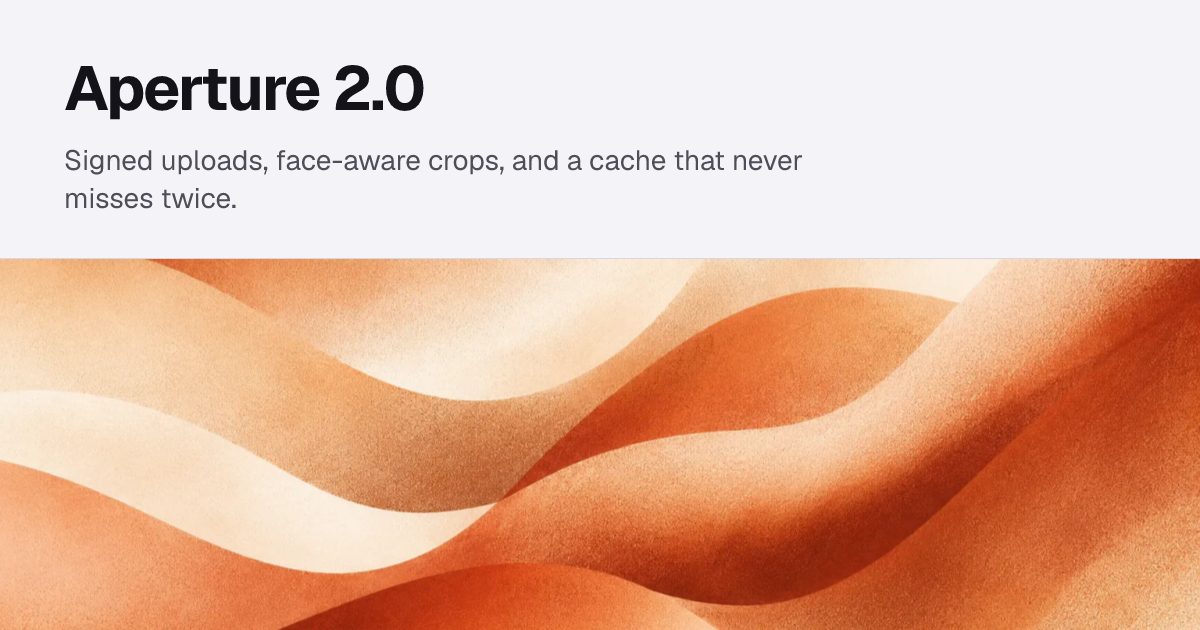
The inverse. Light ground, the name and one sentence up top, a full-bleed image band underneath.

No image at all. Two hairlines and a breadcrumb do the work, which is what a docs card needs.
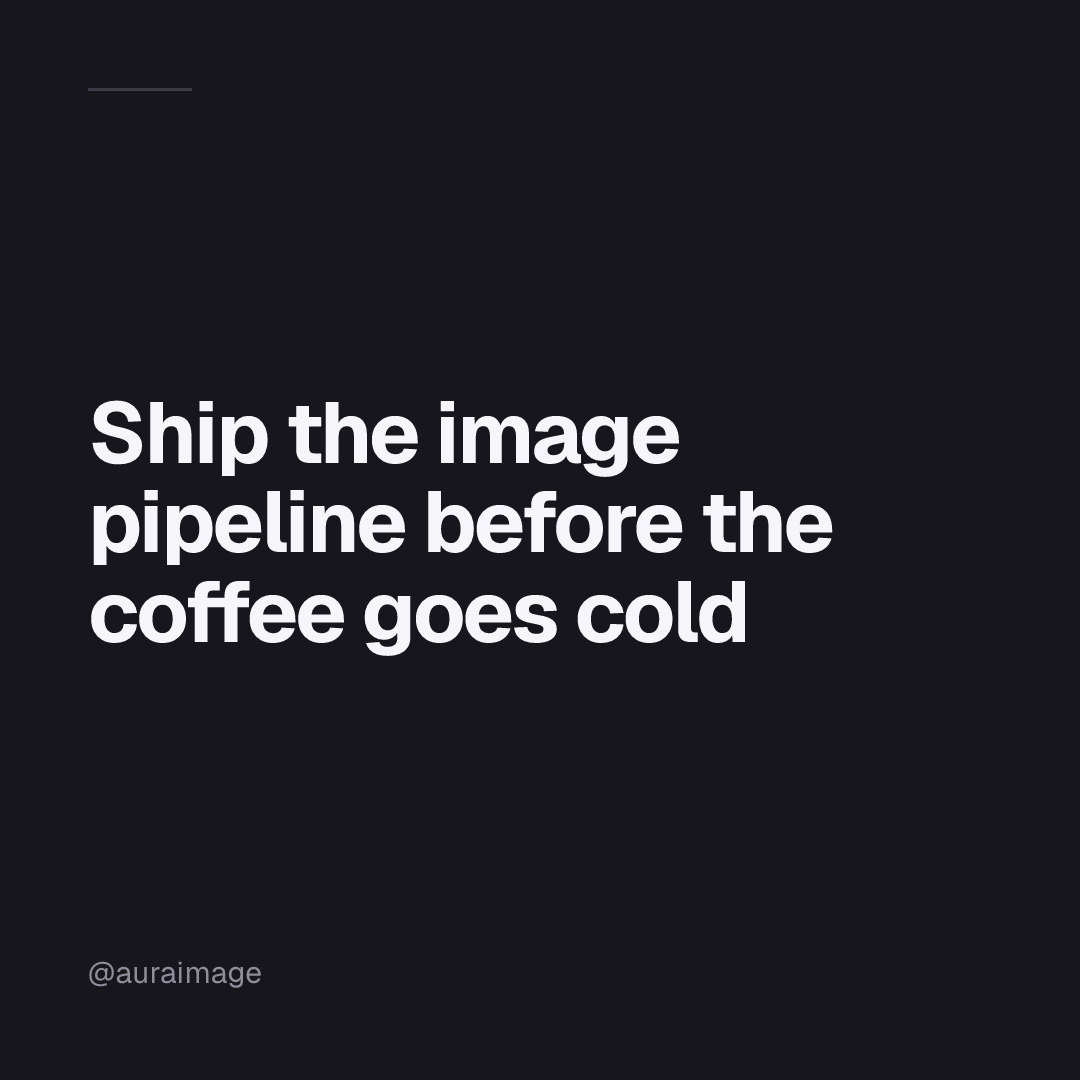
A 1080 square, because the canvas is a property of the template and not something the URL asks for.
npx skills add auraimage/skills/auraimage-ogManaging templates
aura og list                # every template, with its canvas, variables, and Render URL
aura og rm blog-post --yes  # remove one; its Render URLs start 404ing within a minute
aura og list --json prints an object with a templates array, which is the shape a script wants. aura og rm asks before it removes anything unless you pass --yes.
The dashboard shows the same list with a live preview you can type into. It does not edit templates: the file in your repo is the source of truth, and push is idempotent, so a second editing surface would only be a second source of truth to disagree with.
Reading a rejection
Every rejection names exactly one thing. Fix that one thing.
| Message | Fix |
|---|---|
class 'flex' is not defined in a <style> block | Move the utility into tw, which is where the message points. |
variable '{{c}}' may not appear in a tw attribute | A variable is text. Take it out of the style position. |
image src 'https://…': images must be uploaded to this project first | Upload it, then reference w=1200/blog/hero. |
font family 'Intr' was not found on Google Fonts | Check the spelling of the family. |
missing variable 'title' and the template declares no default | Pass it in the URL, or push a --default. |
unknown variable 'titel' | Typo in the query. The message lists every variable the template accepts. |
a project may have at most 20 OG templates | aura og rm one first. |